This event has taken place
New dates coming soon
But there is much more to come!
Check our calendar for upcoming exciting events.
Our events always focus on equipping participants with knowledge and insight into the latest trends in their fields – and giving them a stronger foundation for making better decisions.
workshop
Video workshop
Video workshop
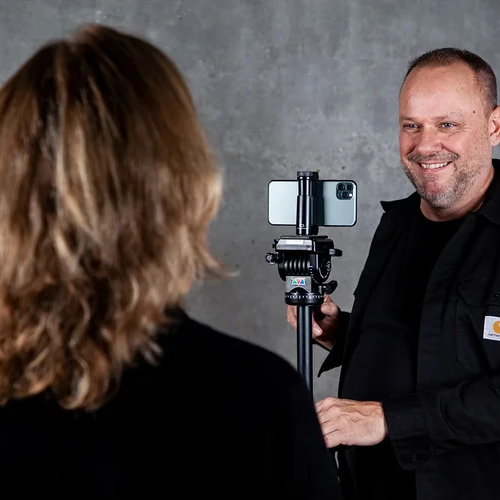
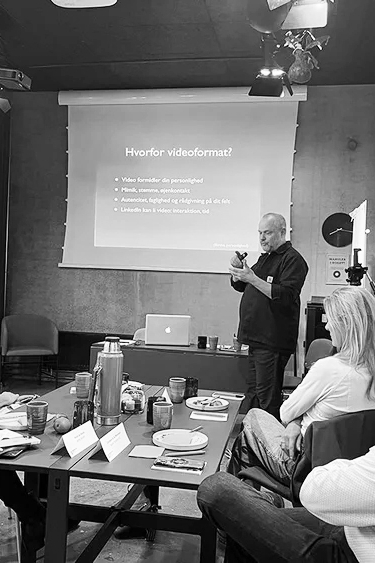
Get hands-on experience with video production. Learn how you plan, produce and publish videos for among other social Media, websites and newsletters.
Video builds trust, connection, and sales
The workshop is aimed at those who work in communications or sales and want to strengthen their brand with a professional and authentic video for social Media.
Learn more about the workshop in the video.
What you will gain from the workshop
- Lær at lave gode optagelser med mobil, lyd og stativ
- Få styr på storytelling og billedfortælling
- Øv dig i at skrive manus og stå foran kameraet
- Klip video i Kinemaster – inkl. effekter, undertekster og musik
- Bliv inspireret af cases og formater, der virker
- Mød andre professionelle og styrk dit netværk
Program for the day
Morning:
- 9:00 – Introduction andtools
Brief presentation of the purpose of the day and the possibilities offered by video.
- 9:30 – MayGroup & storytelling
How do you create relevant messages and structures that capture scarce attention? We look at examples of what works.
- 10:45 – Break
- 11:00 – Practical video filming
Your video: Training in writing a clear message and delivering your message to the camera.
- 12:00 – Lunch break
Afternoon:
- 12:45 – Editing and finalization–
HQuick tricks for cutting, inserting text, logos, subtitles, and call-to-action elements.
- 2:00 p.m. – Uploading and optimization
Guide to formats, length, thumbnails, text, and choosing the right timing for publication.
- 2:30 p.m. – Feedback session
Participants present short video clips and receive constructive feedback from the instructor and each other.
- 3:00 p.m. – Wrap-up
Participant statements
Jonas Søhus Vogt SørensenContent Manager, JKE Design A/S
Helle FyllgraffMarketing Director, JKE Design A/S
Morning
A solid color foundation
Participants share their own experiences with color in design, setting the stage for a shared understanding of how color affects experience and function in different types of design projects.
Presentation on how the brain perceives colors, supported by scientific and historical insights. This explores how colors can create emotional responses and be used to create unity and contrast in design projects.
10:15: Break
10:30: Evolutionary neuroaesthetics and colors (continued)
Review of the NCS system, its conversion to the Pantone system, and their use in conjunction with colour. Participants learn to decode and combine colors so they can create harmonious designs that suit different products and applications.
11:10 a.m.: colour
Understand how light quality affects color perception in design and how different lighting conditions can change the appearance of colors. Inspiration is drawn from Tor Nørretranders and Olafur Eliasson's work with light quality.
Afternoon
Practical work with colors
12:00: Lunch break
Participants are introduced to the newly developed colour, which serves as a practical tool for creating harmonious color combinations. The tool helps participants navigate color choices, contrasts, and balances in both small and large design projects.
The 60/30/10 rule: Participants learn how to use colour to create balanced color compositions, where 60% of the design is dominated by one colour, 30% is supported by another, and 10% is used as an accent.
13:25: Break
Warm and cool colors: Sorting color samples and using colour to understand temperature in color tones and their effect on the design's expression.
Colored spaces and afterimage effects: Inspired by Goethe's experiments, participants explore how afterimages influence the perception of complementary colors and create visual contrasts in design.
Materials and color combinations: Using the color tool and the Pantone system, participants experiment with colors and textures to create harmonious designs.
The effect of light on color tones: Participants test different lighting setups to see how colors change under varying lighting conditions, using colour to help them find the optimal shades.
Apply color theory in practice: Participants use color schemes in their own projects or design assignments, applying what they have learned that day.
Summary of the day's key points and open Q&A with discussion on the application of color principles in design projects of all types.
About Mikael Johnsen
Mikael Johnsen is a film producer and specialist in video marketing. He originally trained as a journalist and has worked as a producer at DR and TV 2 on news and documentaries.
Since 2008, Mikael has run Click Film, where he has focused exclusively on film production for organizations and companies. Here, he helps translate messages into vivid stories that create visibility and strengthen the brand.
Parallelt underviser Mikael i, hvordan man med en mobiltelefon kan producere professionelle videoer til sociale medier, og han er kendt for sin praksisnære undervisning, hvor deltagerne får konkrete værktøjer, de kan bruge med det samme.





Date
Herning d. 24. februar 2026
Strategihuset v. pej gruppen
Bitsovvej 2
7400 Herning
9:00 a.m. to 3:30 p.m.
Price
DKK 3.000,-
per participant for one registered participant.
DKK 2.500,-
per participant with a minimum of two registrants from the same company
Prices shown in Danish kroner are exclusive of VAT. Offers and discounts cannot be combined.
Here's what former participants have to say

“I learned how to make these LinkedIn videos on the course, and I learned a lot about the techniques involved, so I can do it at home in my living room or out and about, without it being too complicated.”
"I was completely blown away by people commenting and liking it, and that it's still alive... The fact that I wrote a script, read it through, and rehearsed it a few times made me feel more confident."
“Mikael is a really good teacher. He is calm and composed, but also really good at giving constructive feedback.”